Deliveroo Rider Application Stuck? Here’s Timeline (2026)
Deliveroo Rider Application Stuck? Here’s How to Fix It (2026)
If your Deliveroo rider application is stuck and you’re getting no response, you’re not alone. This is probably the most common complaint from new couriers trying to get started, and the frustrating part is that Deliveroo rarely tells you why or how long it will take.
In this guide we cover every stage where applications get stuck, what’s actually happening and exactly what you should do to get things moving again.
Why Does the Deliveroo Application Get Stuck?
Deliveroo processes thousands of new rider applications every week across the UK. Their onboarding system is mostly automated, which means when something goes wrong, nobody manually picks it up unless you chase it yourself.
The most common stages where applications get stuck are:
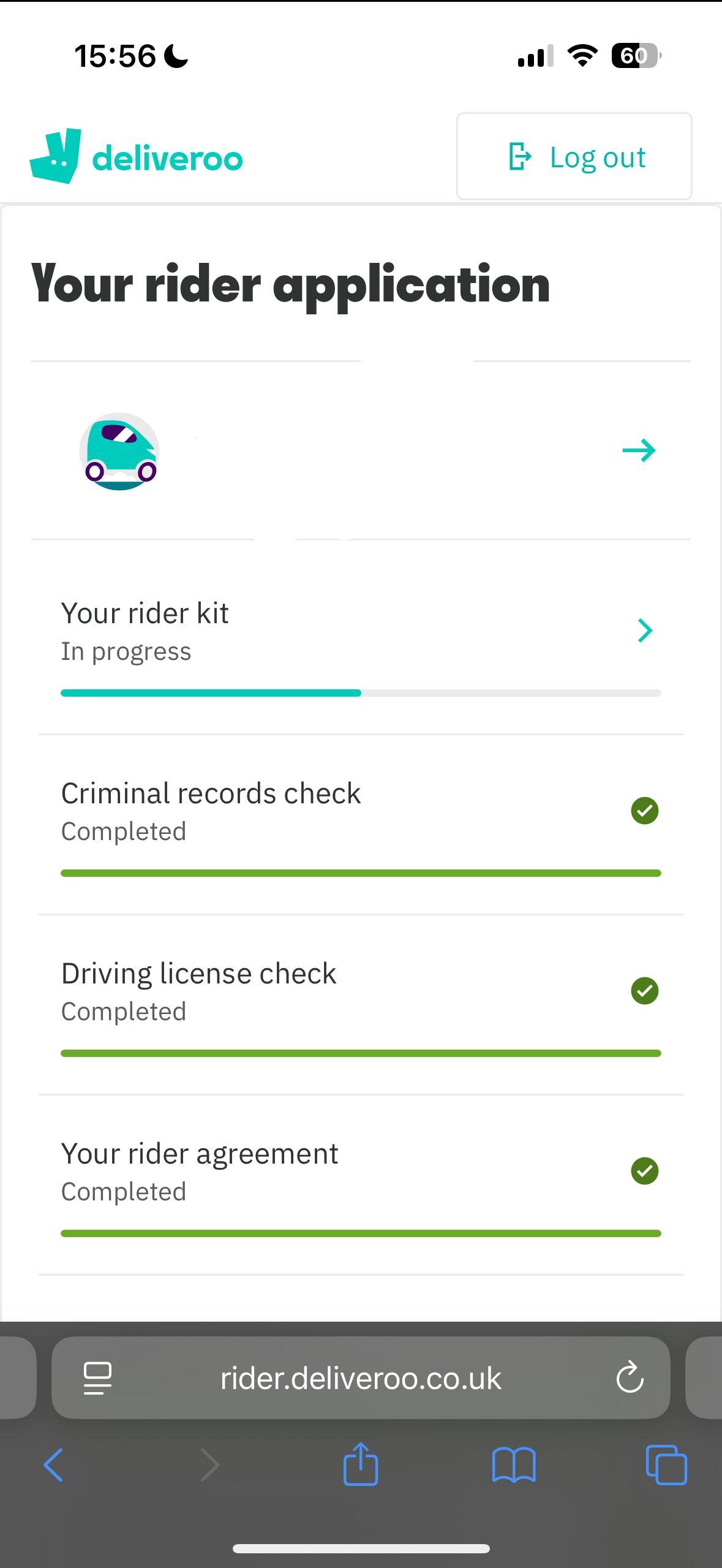
- Stuck on “Rider Kit” waiting for equipment to arrive
- Stuck on “Sign Rider Agreement” after kit arrives
- Stuck on “Background Check” during identity verification
- Stuck on “Ready to Ride” but no orders coming through
Stage 1: Stuck on Rider Kit
What this means
You’ve completed your application and Deliveroo is supposed to send you your rider kit (thermal bag and jacket) but nothing has arrived.
How long it should take
Typically 3 to 7 working days after your application is approved.
What to do
- Check your delivery address by logging into the Deliveroo rider app and confirming the address on file is correct
- Check your emails for a tracking number. Deliveroo sends one when your kit ships. Check spam too.
- Wait 7 working days before contacting support
- After 7 days, contact Deliveroo rider support through the app: Help then Contact Us then select “My application”
Pro tip: Some couriers report that you don’t actually need the physical kit to start delivering. Ask support if you can proceed without it while you wait.
Stage 2: Stuck on Sign Rider Agreement
What this means
This is the most commonly reported stuck stage. You’ve received an email asking you to sign your rider agreement but either the email never arrived, you signed it but the app hasn’t updated, or the link has expired.
How long it should take
The agreement email usually arrives within 24 to 48 hours of your kit being dispatched.
What to do
- Check your spam folder first. Deliveroo agreement emails go there a lot.
- Search your inbox for “Deliveroo” and “agreement” in case it arrived earlier than you think
- Check if the link has expired. Deliveroo agreement links sometimes expire after 7 days. If it has, you need to request a new one.
- Contact Deliveroo support and ask them to resend the agreement email. Just say: “I received an email to sign my rider agreement but the link has expired. Please resend it.”
If you already signed it but the app is still stuck
This is a known bug. Contact support and tell them: “I have signed my rider agreement but my app is still showing this stage. Can you manually update my account?”
Stage 3: Stuck on Background Check
What this means
Deliveroo uses a third party company called Onfido to verify your identity and right to work in the UK. Your application is waiting for this check to complete.
How long it should take
Usually 2 to 5 working days but it can take up to 2 weeks during busy periods.
What to do
- Check your email for an Onfido verification link. It’s separate from Deliveroo and may have gone to spam.
- Complete the Onfido check if you haven’t already. You need a valid ID such as a passport or driving licence.
- Make sure your document photos are clear. Blurry photos are one of the most common reasons checks get delayed.
- Contact Deliveroo support after 5 working days if you haven’t heard anything.
Common reasons background checks fail
- Expired passport or driving licence
- Documents from a non-accepted country
- Blurry or cut-off document photos
- Name mismatch between your application and your ID
Stage 4: Approved But Not Receiving Orders
What this means
Your application shows as complete and you’re marked as Ready to Ride but when you go online, nothing comes through.
What’s actually happening
Deliveroo operates a zone based system. If your local area already has enough active riders, new couriers are placed on a waiting list. This is common in London, Manchester and Birmingham where rider numbers are high.
What to do
- Try going online during peak hours. Friday and Saturday evenings between 6pm and 10pm are the busiest times.
- Check you’re in an active zone by opening the rider app map
- Contact support and ask: “My account is approved but I’m not receiving any orders. Am I in a waitlisted zone?”
- Sign up to Uber Eats or Just Eat in the meantime. There’s no rule against working multiple platforms at once.
How Long Does the Full Deliveroo Application Take?
Here’s the honest answer: if there is active demand for riders in your area, the full process takes around 2 to 4 weeks from application to first order.
But if your local zone already has enough riders, Deliveroo may place you on a waiting list with no set timeline. Some couriers have waited several months. This is completely outside your control and has nothing to do with your application quality.
If you’ve been waiting more than 4 weeks with no updates, contact support and ask directly: “Is my zone currently at full capacity?” That’s the only way to get a real answer.
Scam warning: Some people online claim they can speed up your Deliveroo approval for a fee. This is completely false. Nobody outside of Deliveroo can do this. Do not pay anyone.
Here’s the typical timeline when your zone has demand for new riders:
| Stage | Typical time |
|---|---|
| Application submitted | Day 1 |
| Application approved | 1 to 3 days |
| Rider kit dispatched | 3 to 7 days |
| Rider agreement email | 24 to 48 hours after kit |
| Background check | 2 to 5 working days |
| First order available | 1 to 3 days after approval |
| Total (if zone has demand) | 2 to 4 weeks |
How to Contact Deliveroo Rider Support
This is where most couriers get frustrated. Deliveroo’s rider support is not easy to reach but here are all your options:
Option 1: In-app support (best option)
- Open the Deliveroo rider app
- Tap the profile icon
- Go to Help then Contact Us
- Select the relevant topic
Option 2: Email
riders@deliveroo.co.uk for application and account issues
Option 3: Social media
Deliveroo often responds faster on social media than email. Try contacting them on Twitter/X at @DeliverooHelp. Be polite but persistent as a public message often gets a faster response than an email.
While You Wait, Sign Up to Other Platforms
There’s no reason to sit and wait for Deliveroo to sort itself out. You can apply to multiple platforms at the same time and start earning sooner.
Uber Eats typically has faster onboarding than Deliveroo and approves most applicants within a week. Just Eat runs on an employed model with scheduled shifts and a different application process.
Check out our full guide on Which Food Delivery App Pays the Most in the UK? to help you decide where to start.
Quick Summary
If your Deliveroo rider application is stuck, here’s what to do:
- Be patient. Most delays resolve within 7 to 10 working days.
- Check your spam folder. Most missing emails end up there.
- Contact support after one week if nothing has moved. Don’t wait longer than that.
- Sign up to other platforms in the meantime. Don’t rely on one app while you wait.